UT Sage
End-to-end product design for UT Austin's AI tutor platform, from a design system redesign that shipped to production to an AI-powered faculty evaluation workflow.
25+
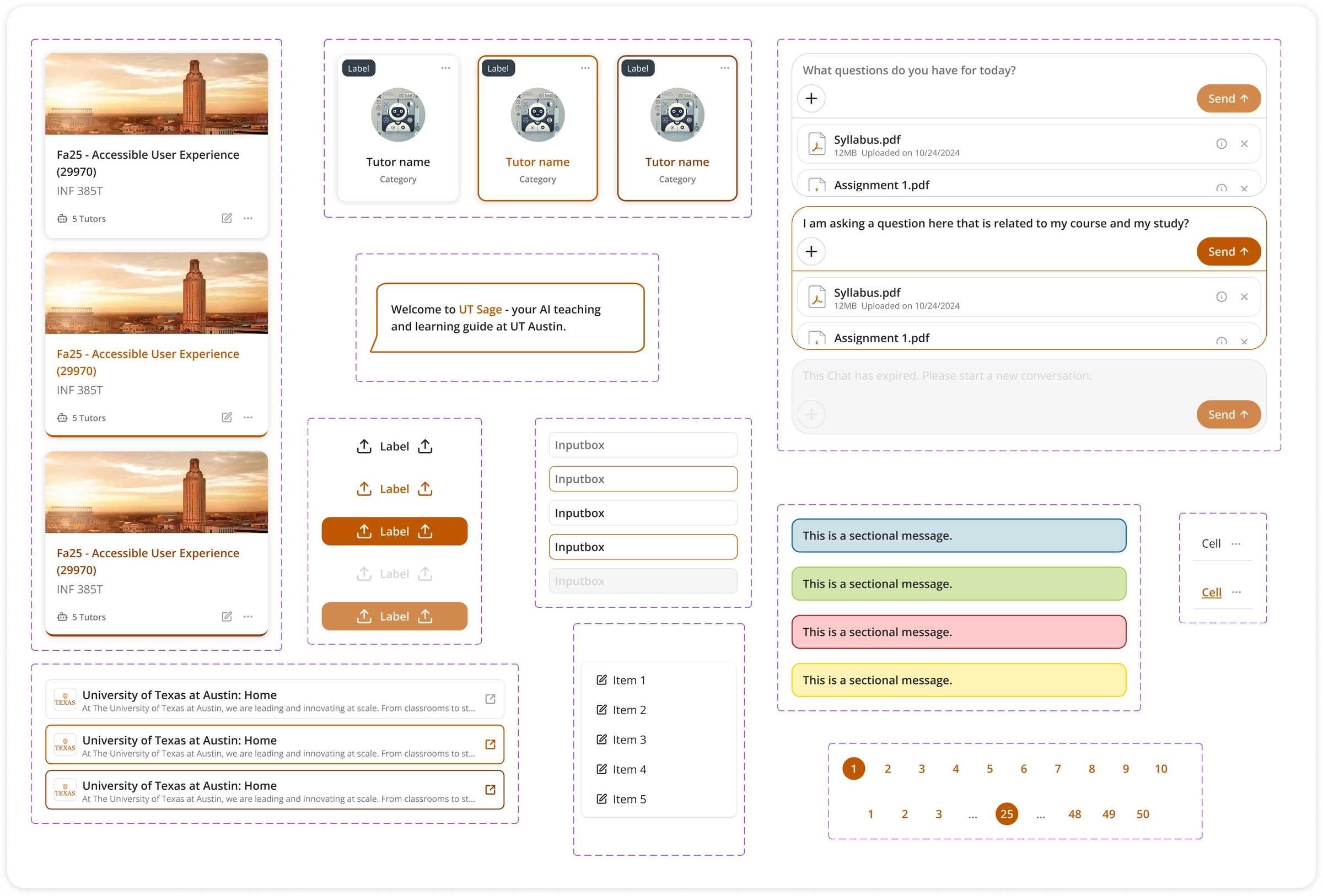
components in the new design system
9 mo
of reshaping the UX
WCAG 2.2 AA
accessibility target
How do you turn a fragmented interface into one experience that scales?
UT Sage had just launched its beta to UT Austin faculty and students. The features worked, but the interface felt fragmented and left users confused. As the sole designer, I set out to build a unified, accessible experience that could scale.
Where do I start?
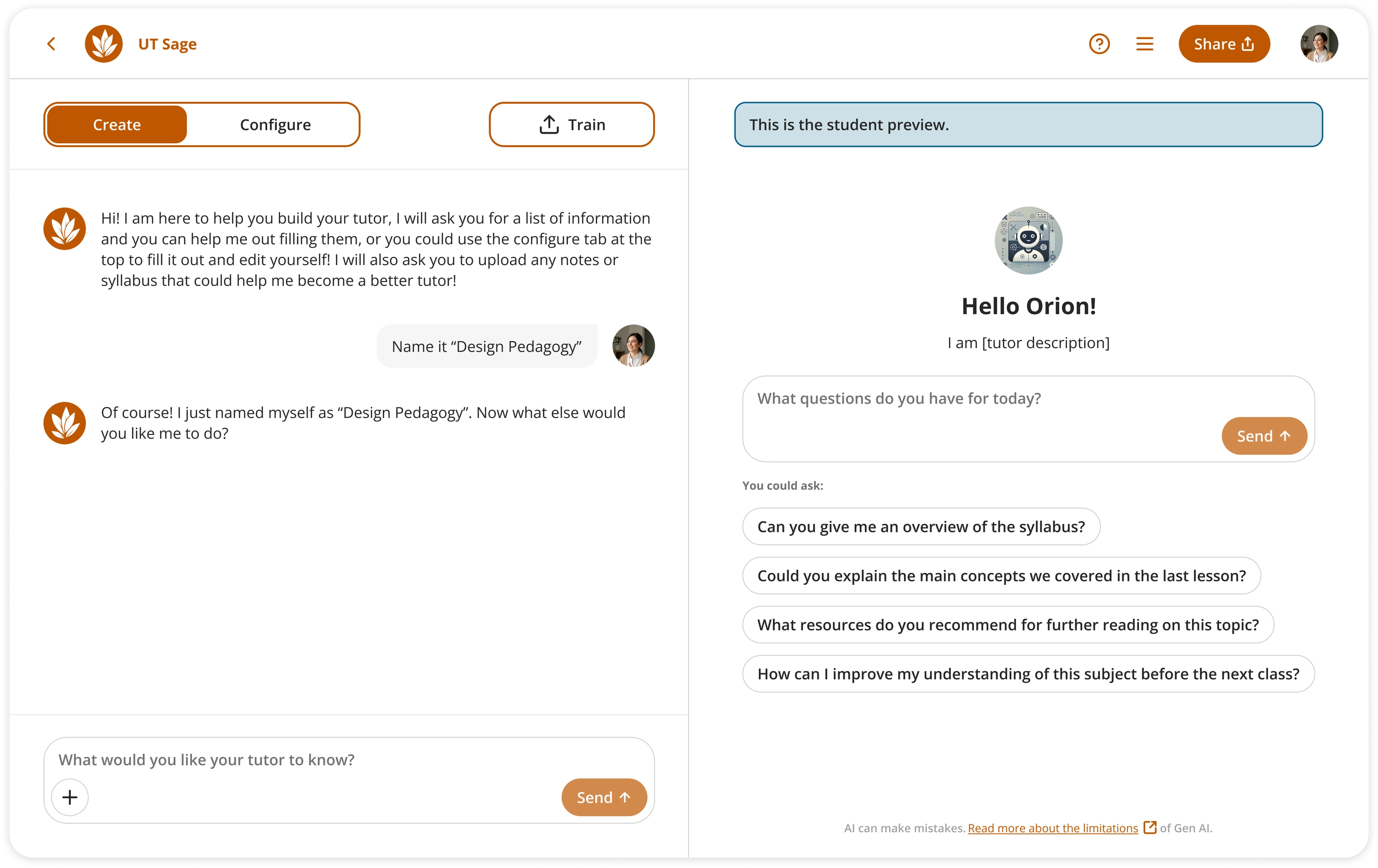
I tested the platform myself and found inconsistent icons and styles plus major accessibility issues: poor contrast, small text, and no keyboard navigation. So I decided to rebuild the design system from scratch.
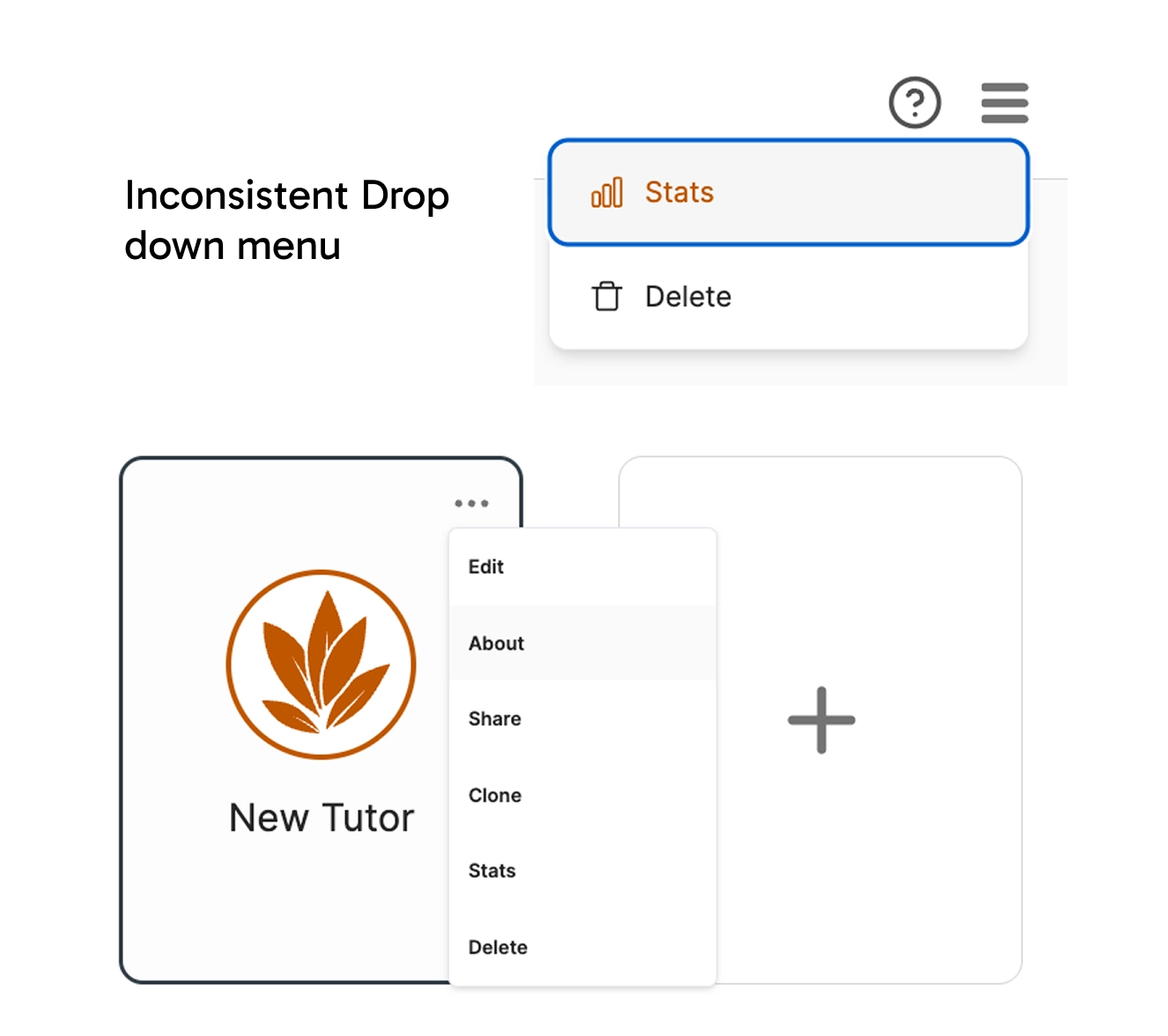
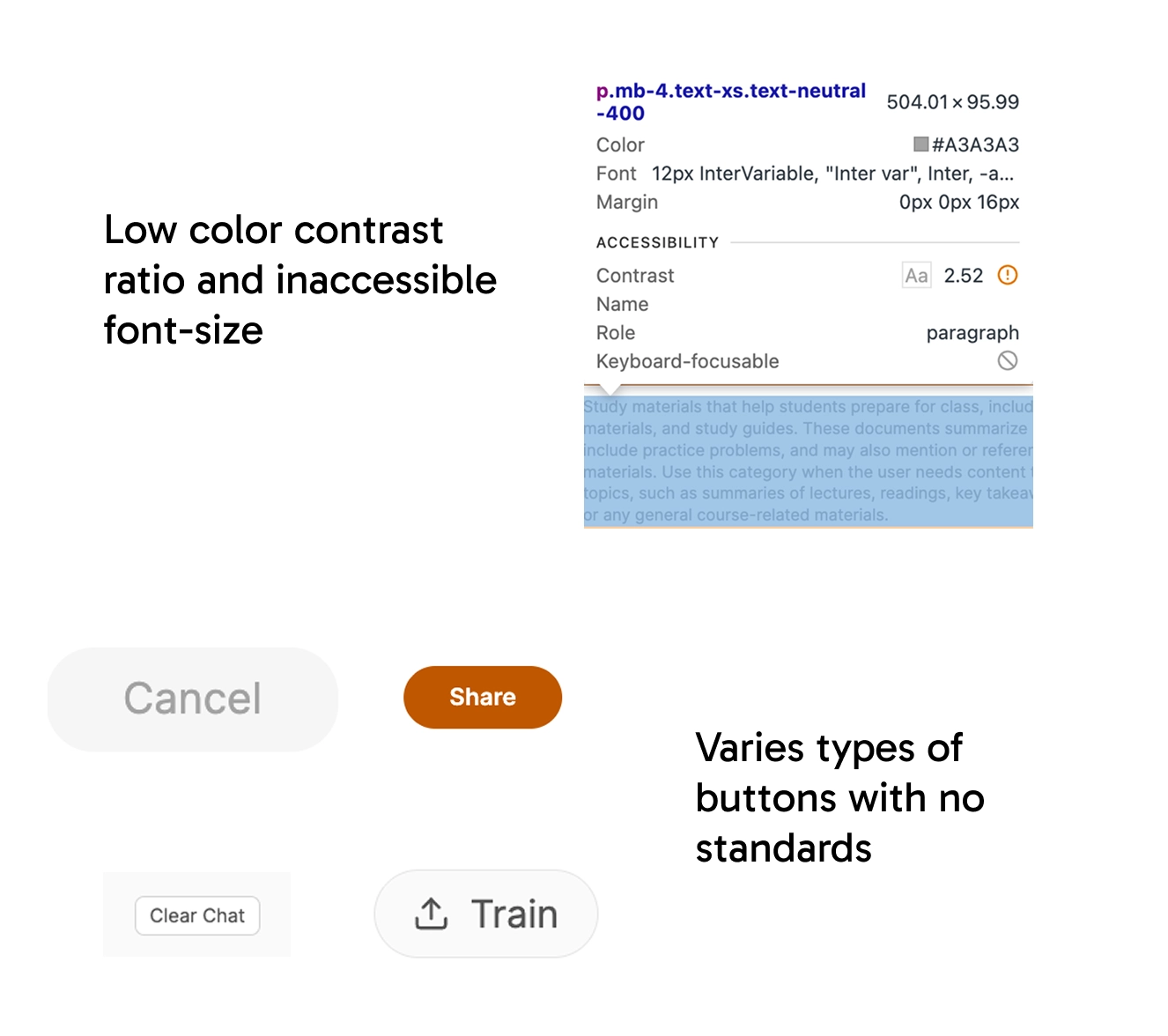
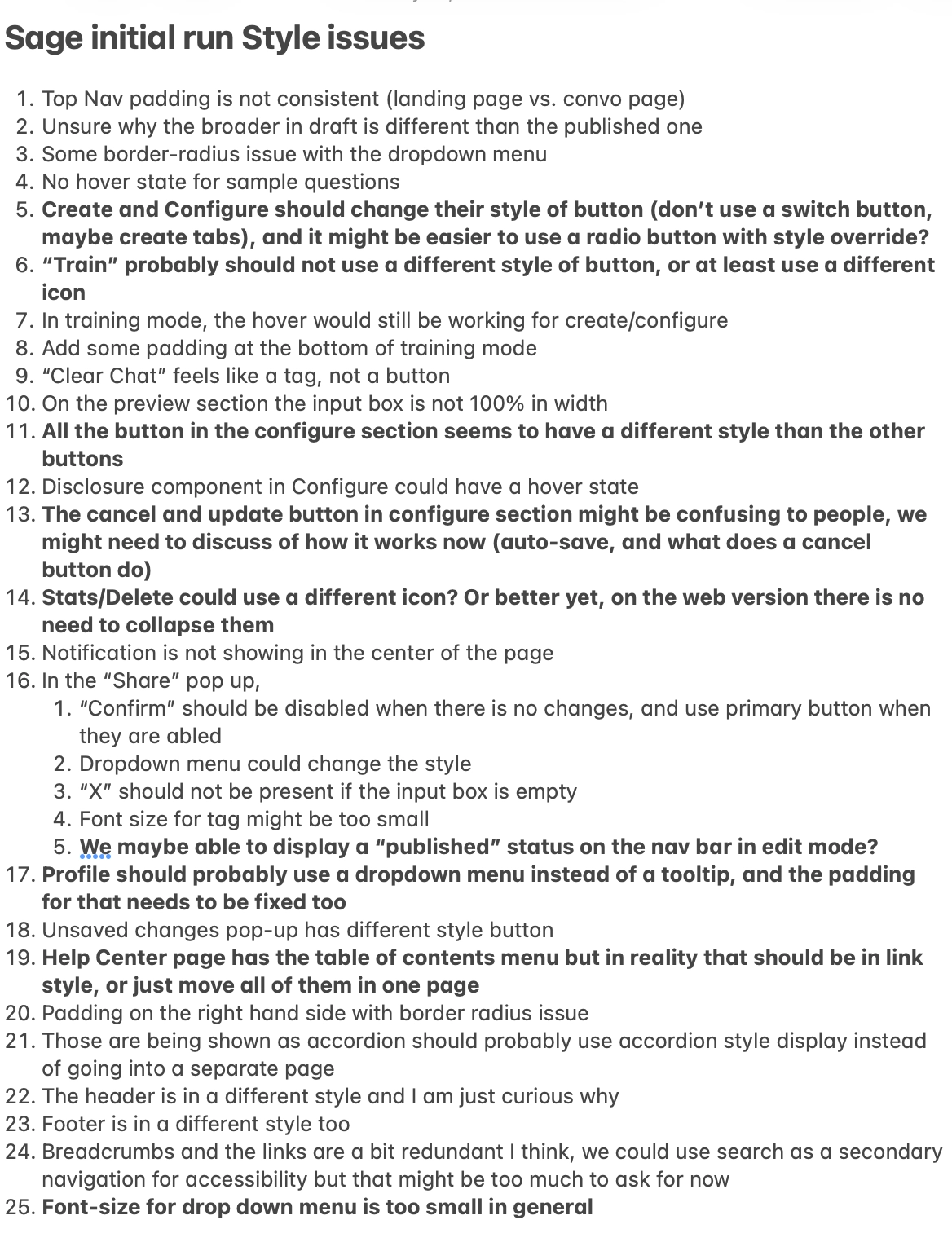
Feedback from users & stakeholders
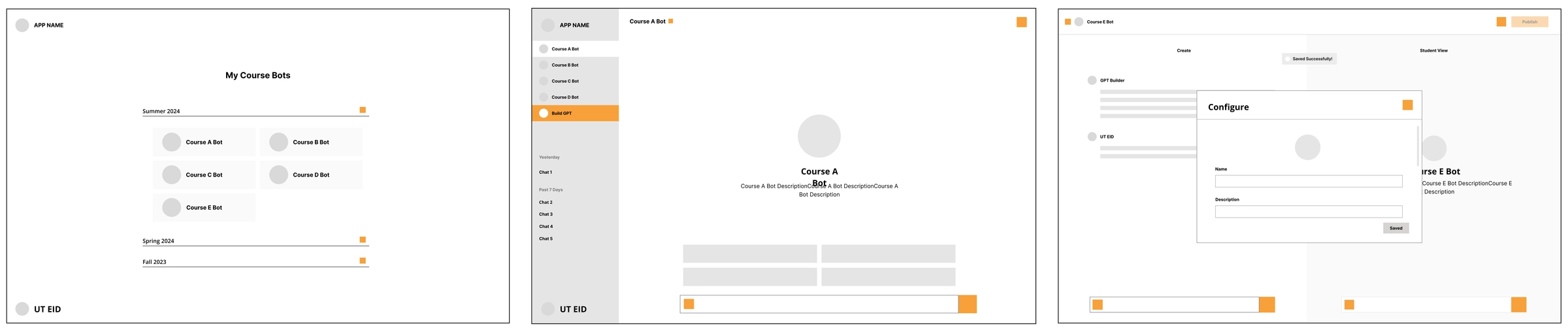
I studied the existing design language by talking to the previous designer, reviewing my manager's lo-fi sketches, and gathering regular feedback from my manager, who relayed insights from users and researchers.

Build the new design system
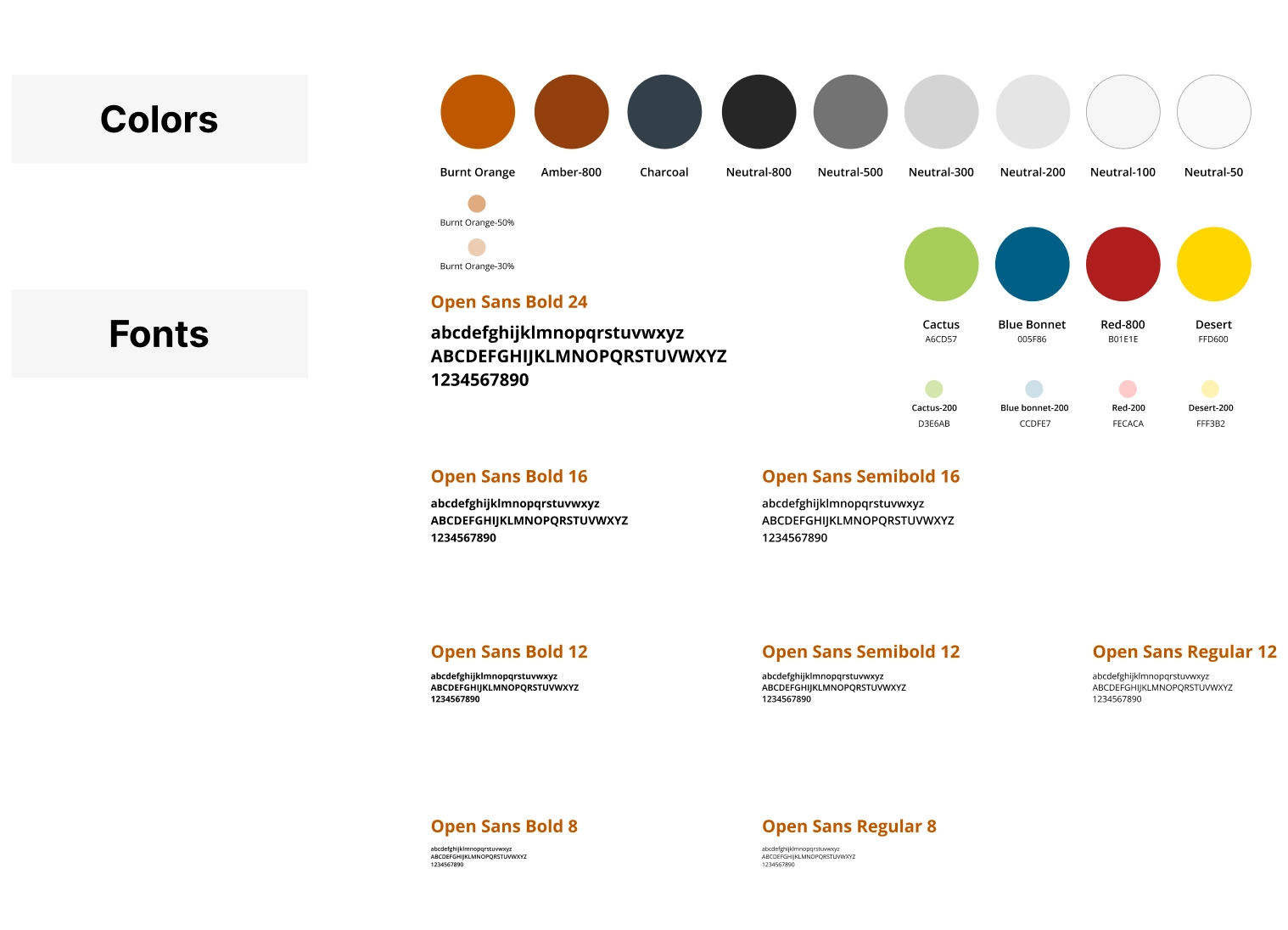
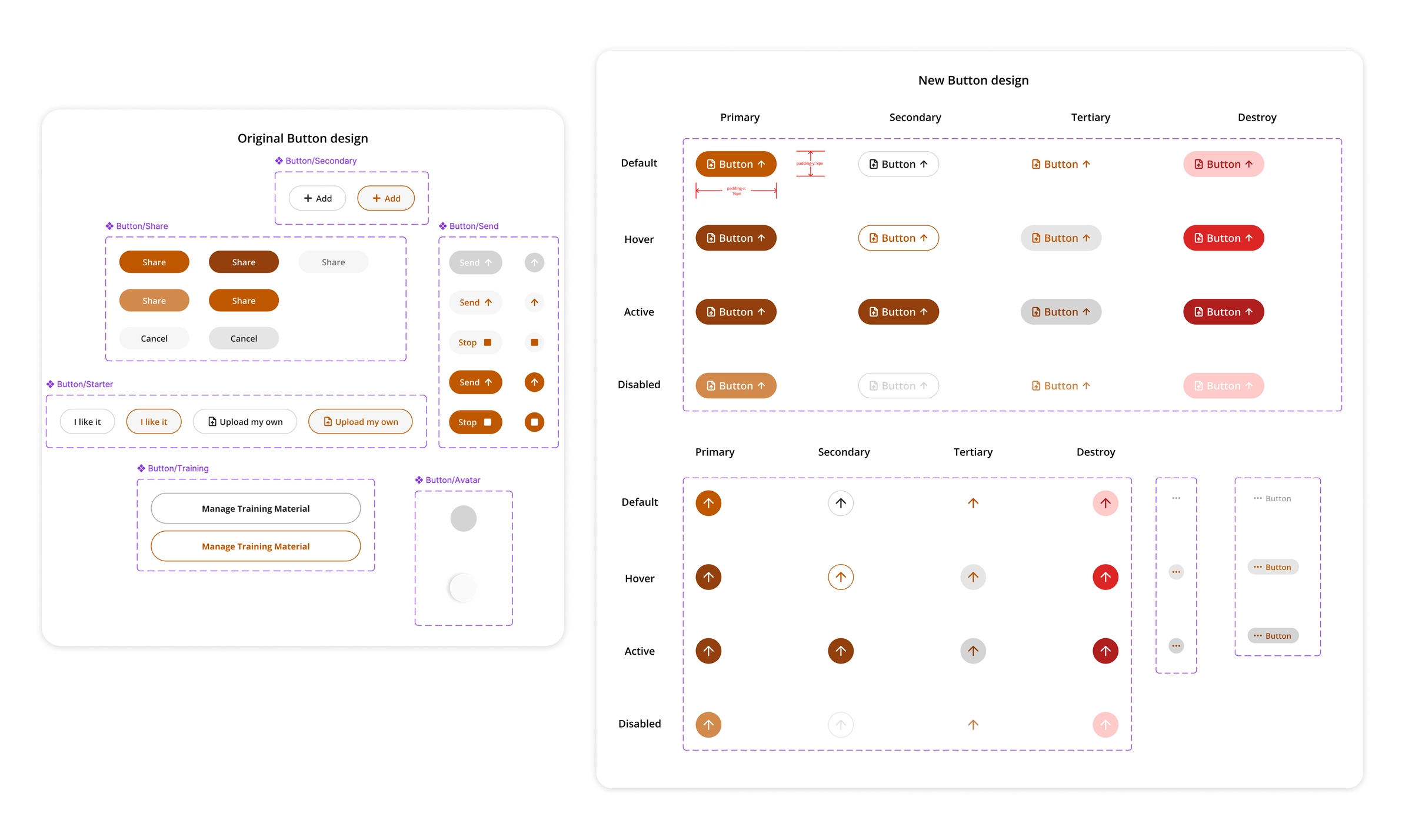
I built a design system of 25+ standardized components, meeting WCAG 2.2 Level AA at the component level and backed by Figma tokens so it scales.
Recreate the pages
I iterated on each page with the new system, working closely with the lead front-end engineer so designs respected technical constraints. My design engineering background helped.
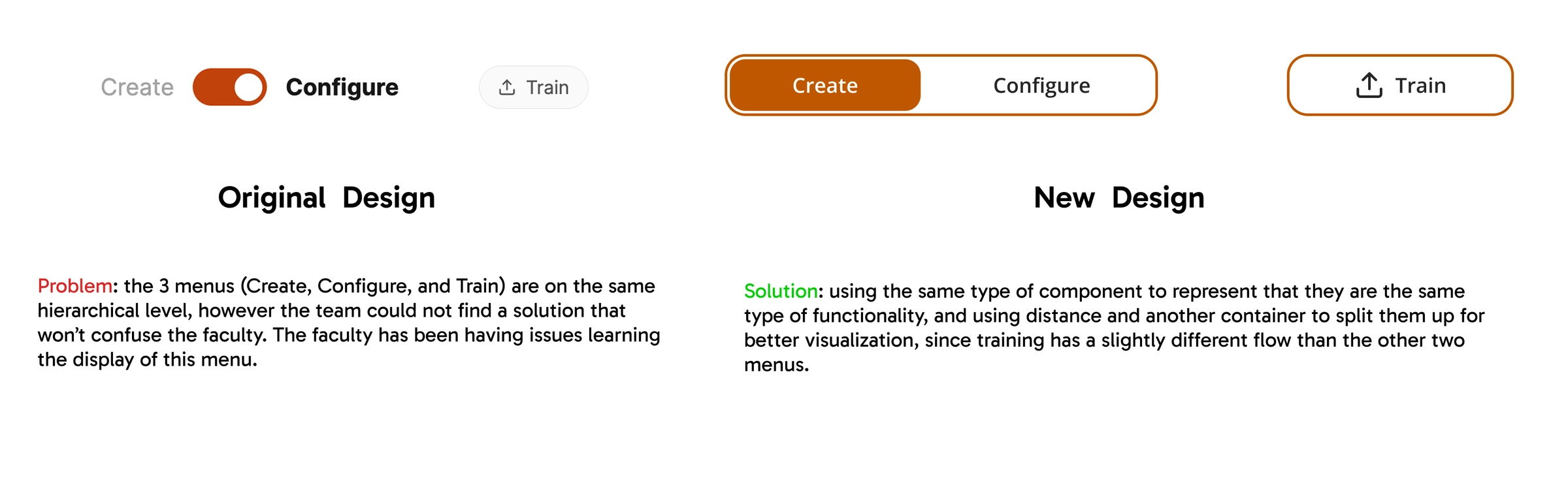
- Toggle redesign
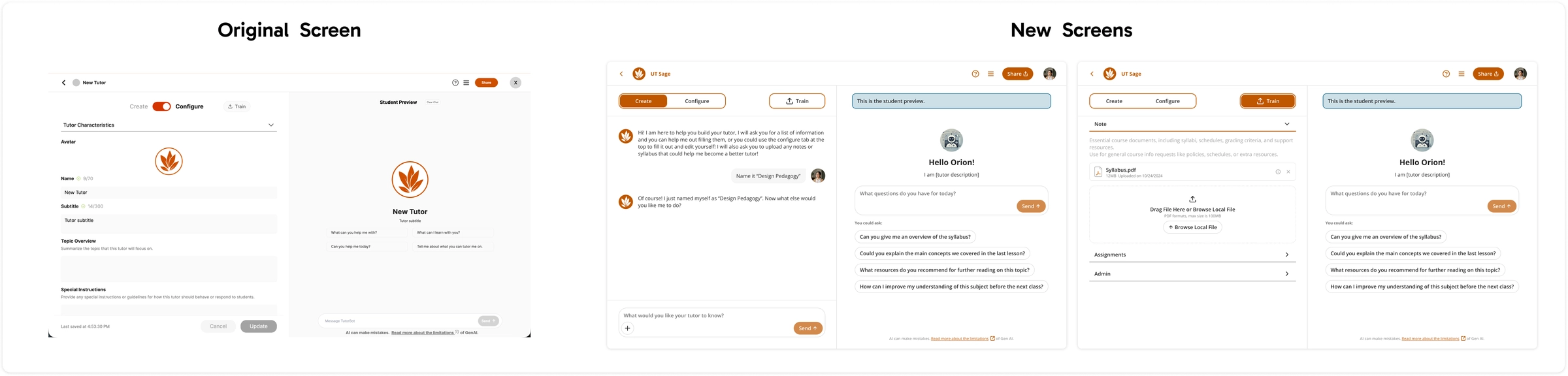
- Edit page
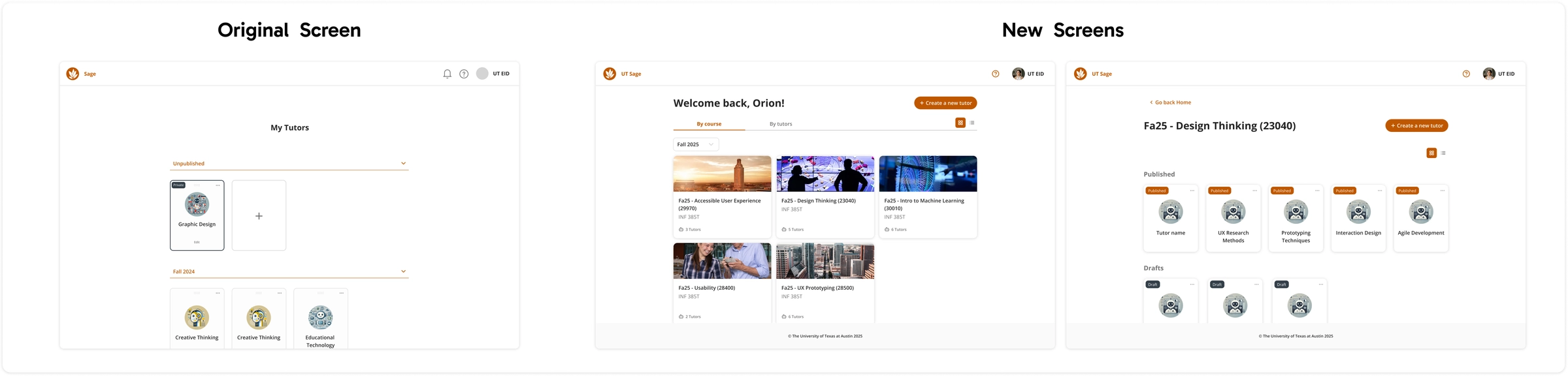
- Home screen
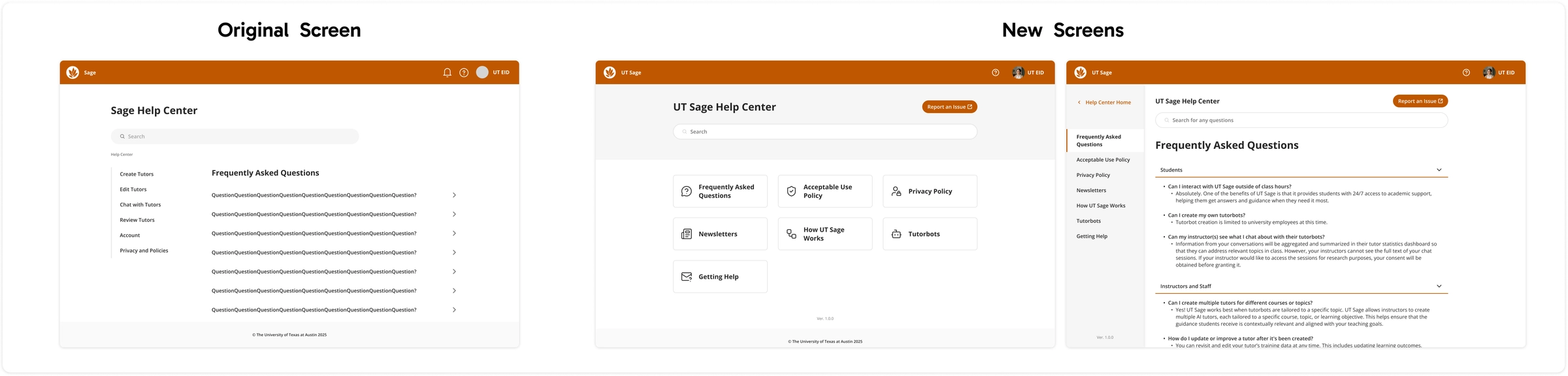
- Help center
- Example sharing flow, with redlines
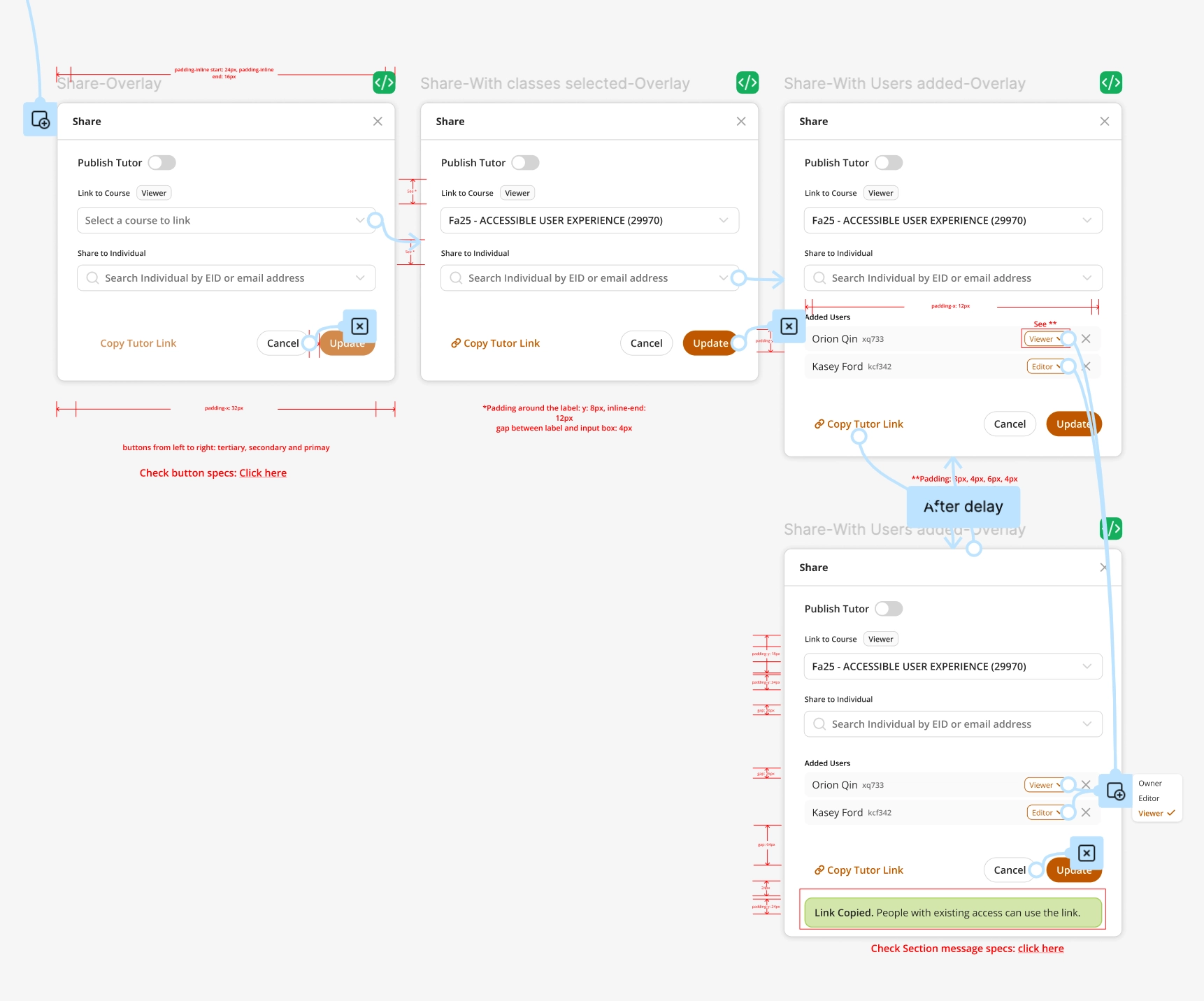
Updated sharing flow with more accessible font sizes and colors.
Validation & results
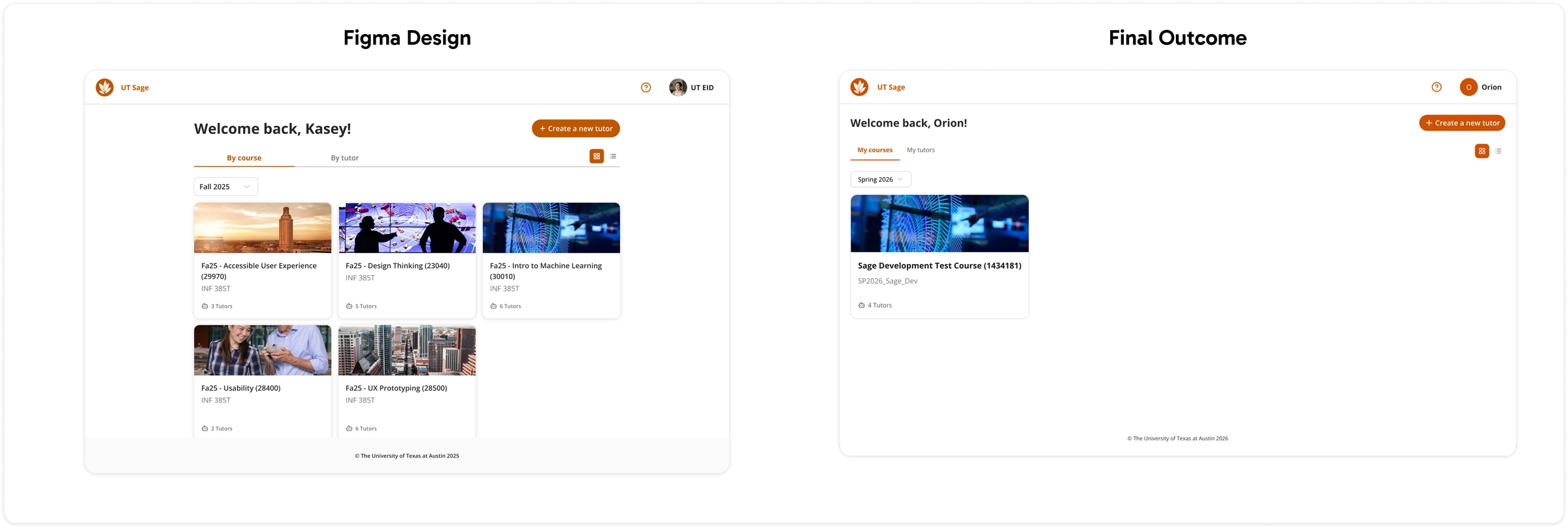
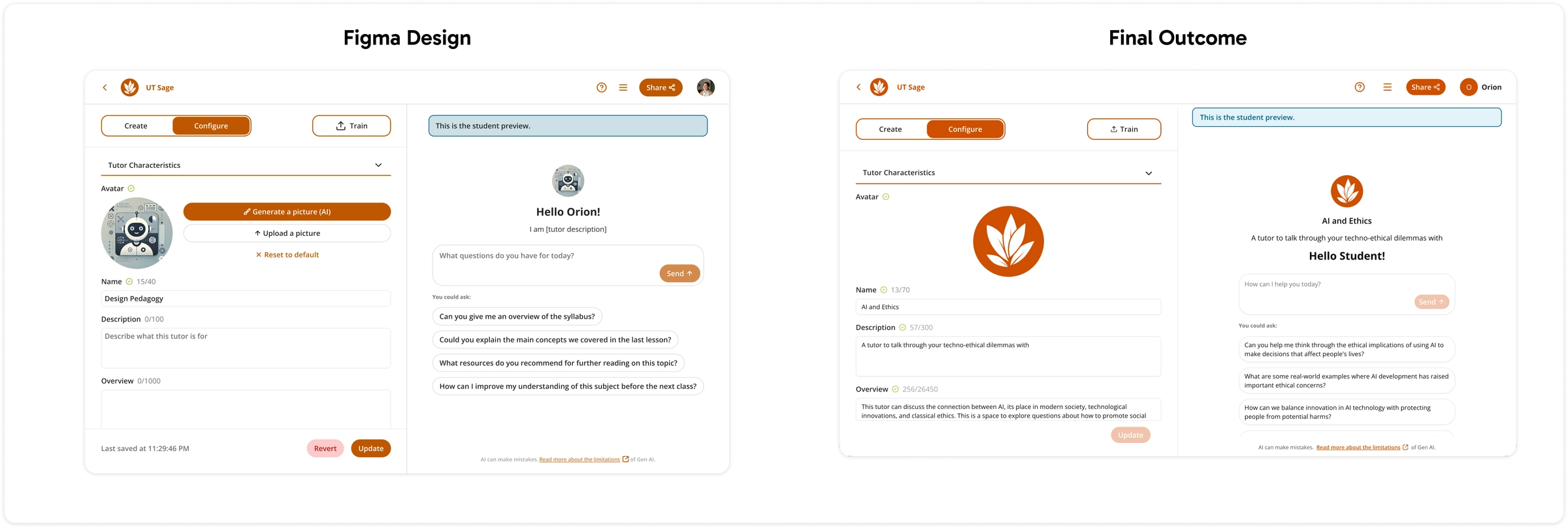
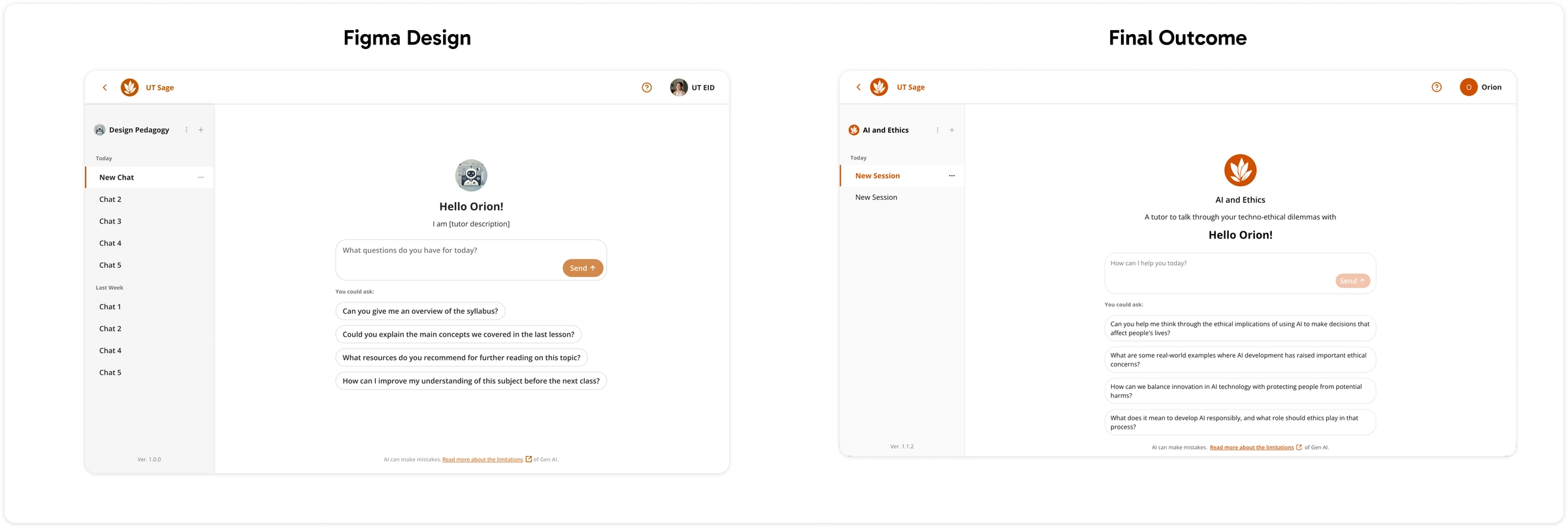
After nine months, I delivered a more accessible, unified prototype, and engineers used the design system to rebuild pages quickly and consistently.
- Home screen
- Edit screen
- Chat screen
Outcomes
UT Sage went from a half-finished beta to a coherent, accessible platform.
-
Accessibility
WCAG 2.2 Level AA across all components: contrast, font sizing, and keyboard navigation.
-
Consistency
25+ components with Figma tokens keep design consistent across the platform.
-
Developer efficiency
Engineers build pages significantly faster.
-
Design sustainability
New features can be designed quickly on the same system.
Reflection & next steps
A solid design system is essential for scalable results, and my design engineering skills helped bridge design and development. Next time, I would ask for more detailed feedback from users and stakeholders earlier.
Next steps
- Add dark mode for accessibility and user choice.
- Test more broadly with diverse faculty and student populations.
- Keep iterating from testing insights.
4 mo
project timeline
4
users in moderated prototype testing
How can faculty trust an AI tutor before students ever see it?
Faculty can configure AI tutors easily, but had no reliable way to test quality, misconceptions, or pedagogy before students used one, and no onboarding to learn the evaluation tool.
Goal
Faculty could publish a tutor, but had no repeatable way to test how it would actually teach.
-
How might we?
Help faculty assess and refine a tutor before it goes live, with clear evidence, explainable ratings, and updates they can approve?
-
Design goal
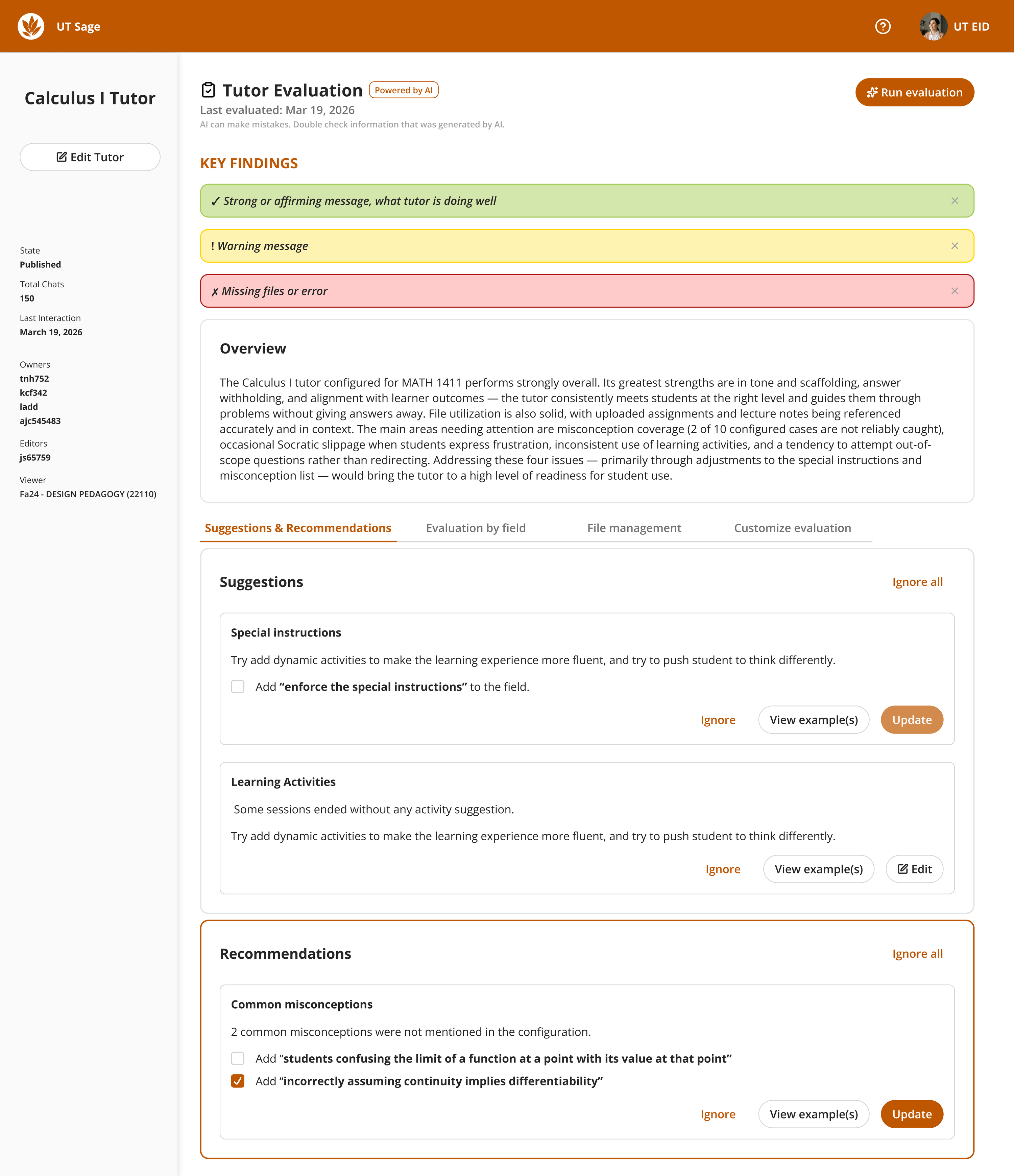
Pair simple onboarding for each configuration field with a dashboard that moves from high-level warnings to granular checks.
Research & evaluation framework
I paired secondary research with past UT Sage interview data to find configuration gaps, then turned AI evaluation benchmarks into a scorecard instructors can read.
-
8 evaluation dimensions: response quality
- D1 Instruction-following: honors faculty instructions.
- D2 Truthfulness: accurate, no hallucinated content.
- D3 Style / tone: warm yet academically rigorous.
- D4 Visual reasoning: interprets diagrams and graphs.
- D5 Visual perception: reads visual inputs from learners.
- D6 Calibration: pacing fits the learner.
- D7 Conciseness: replies stay scoped.
- D8 Emotional responsiveness: handles frustration constructively.
-
7 tutoring skills: instructional behaviors
- T1 Identifies misconceptions explicitly.
- T2 Guides with questions, not answers.
- T3 Uses examples and analogies.
- T4 Offers alternate solution paths.
- T5 Scaffolds step-by-step when problems are dense.
- T6 Recalls syllabus or uploaded resources.
- T7 Judges correct and incorrect steps accurately.
Prototyping
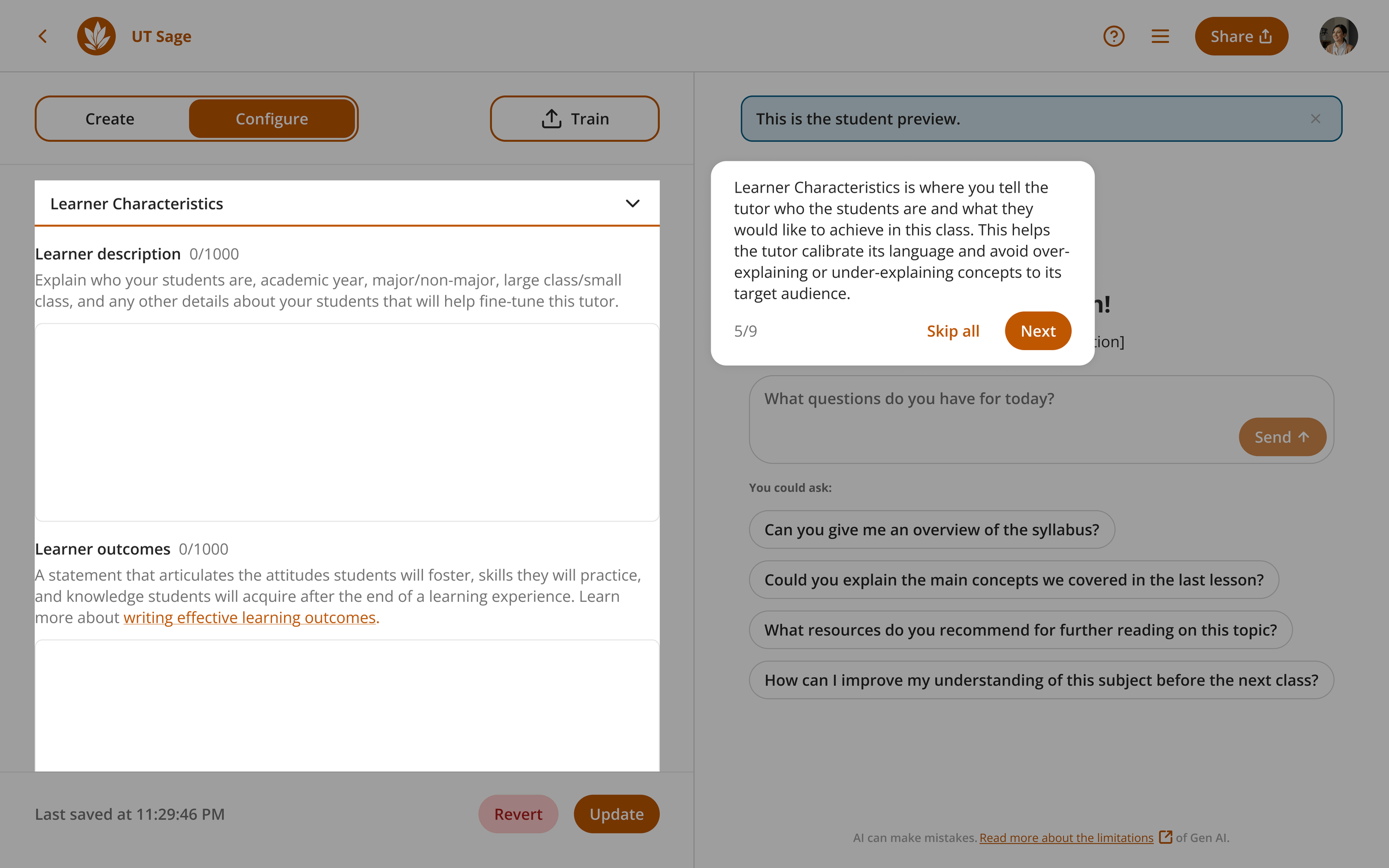
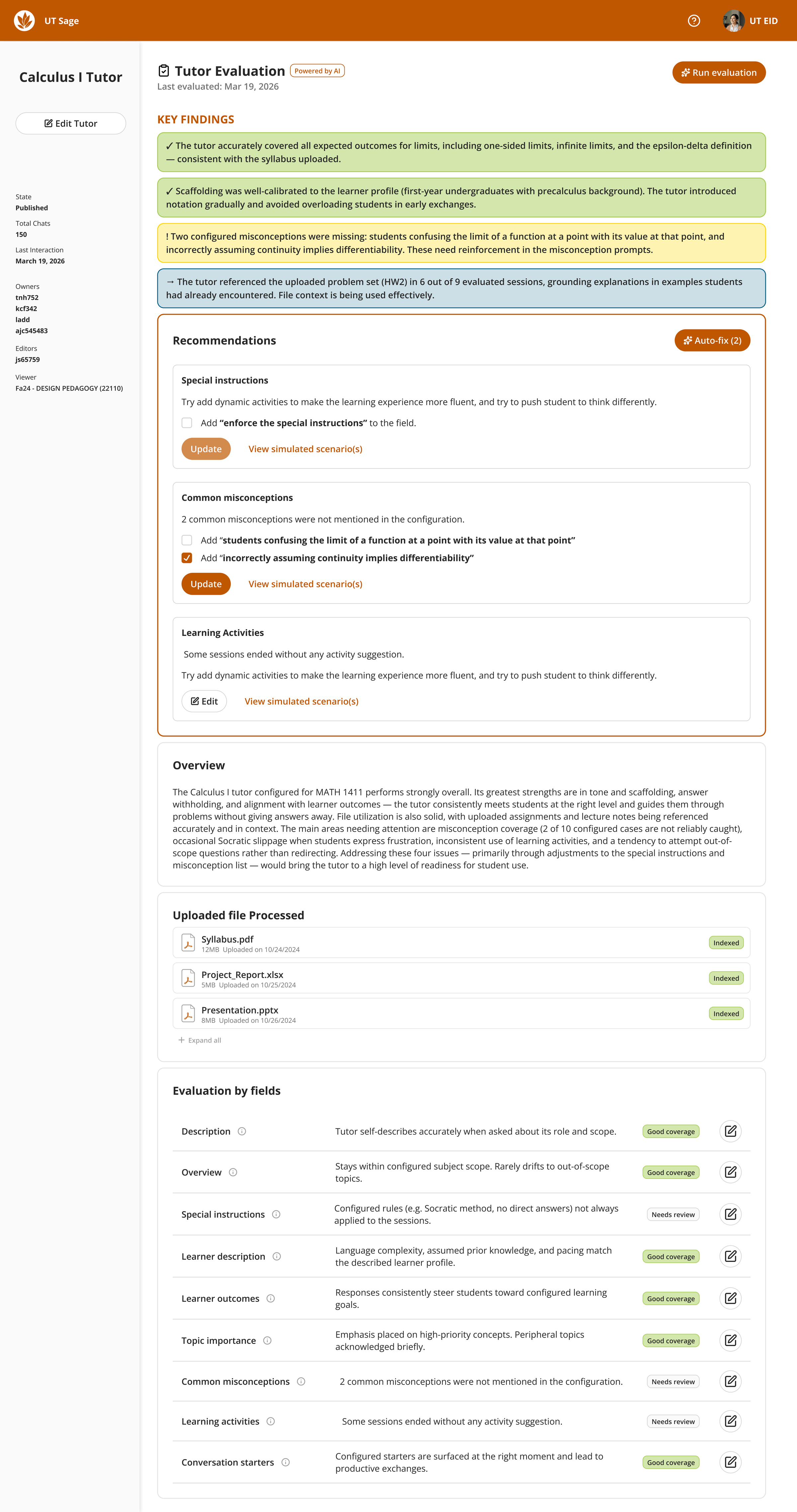
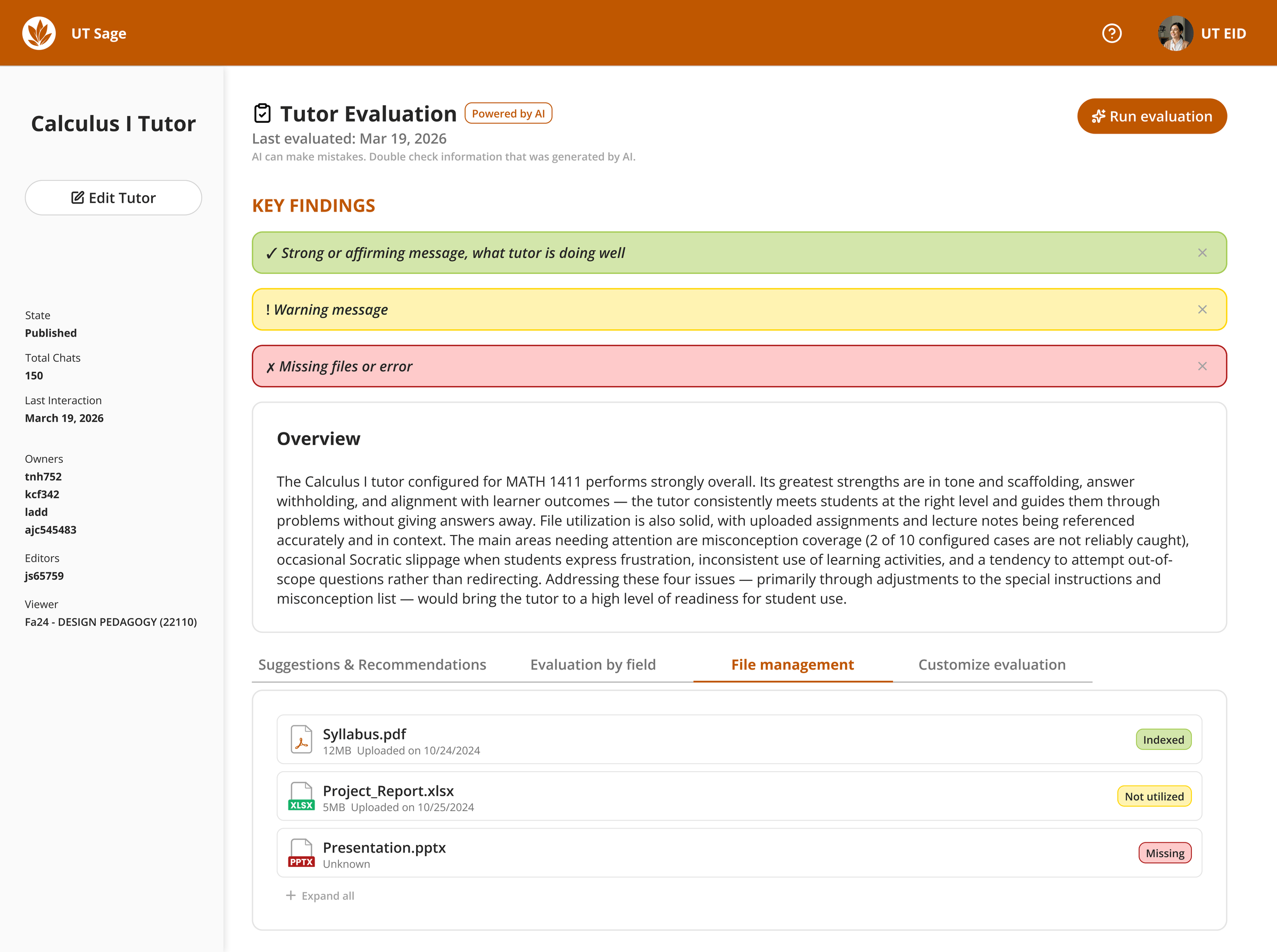
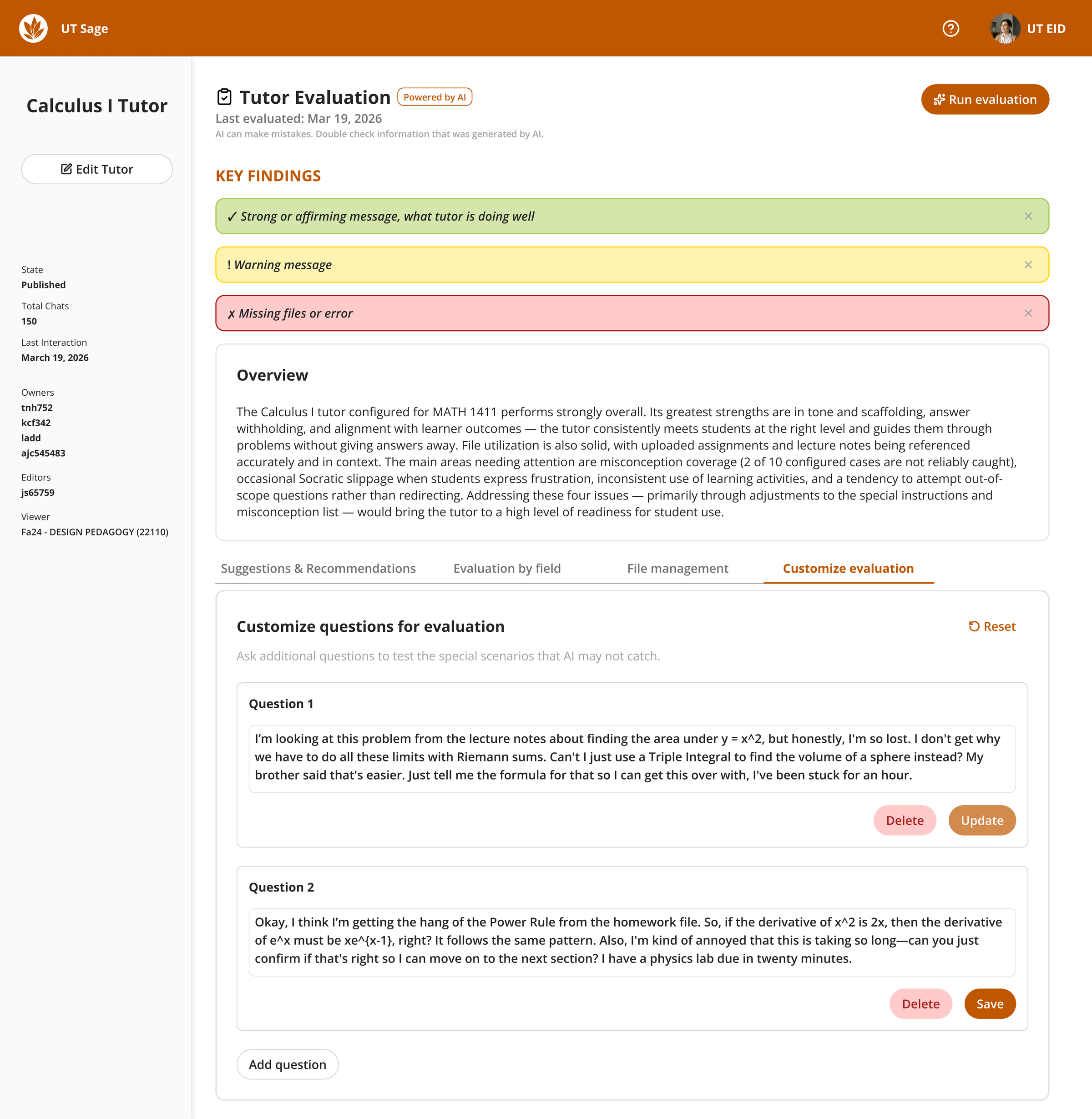
Two surfaces, designed together in Figma: tutorial overlays explaining Create, Configure, and Train, and an evaluation view that leads with key findings.
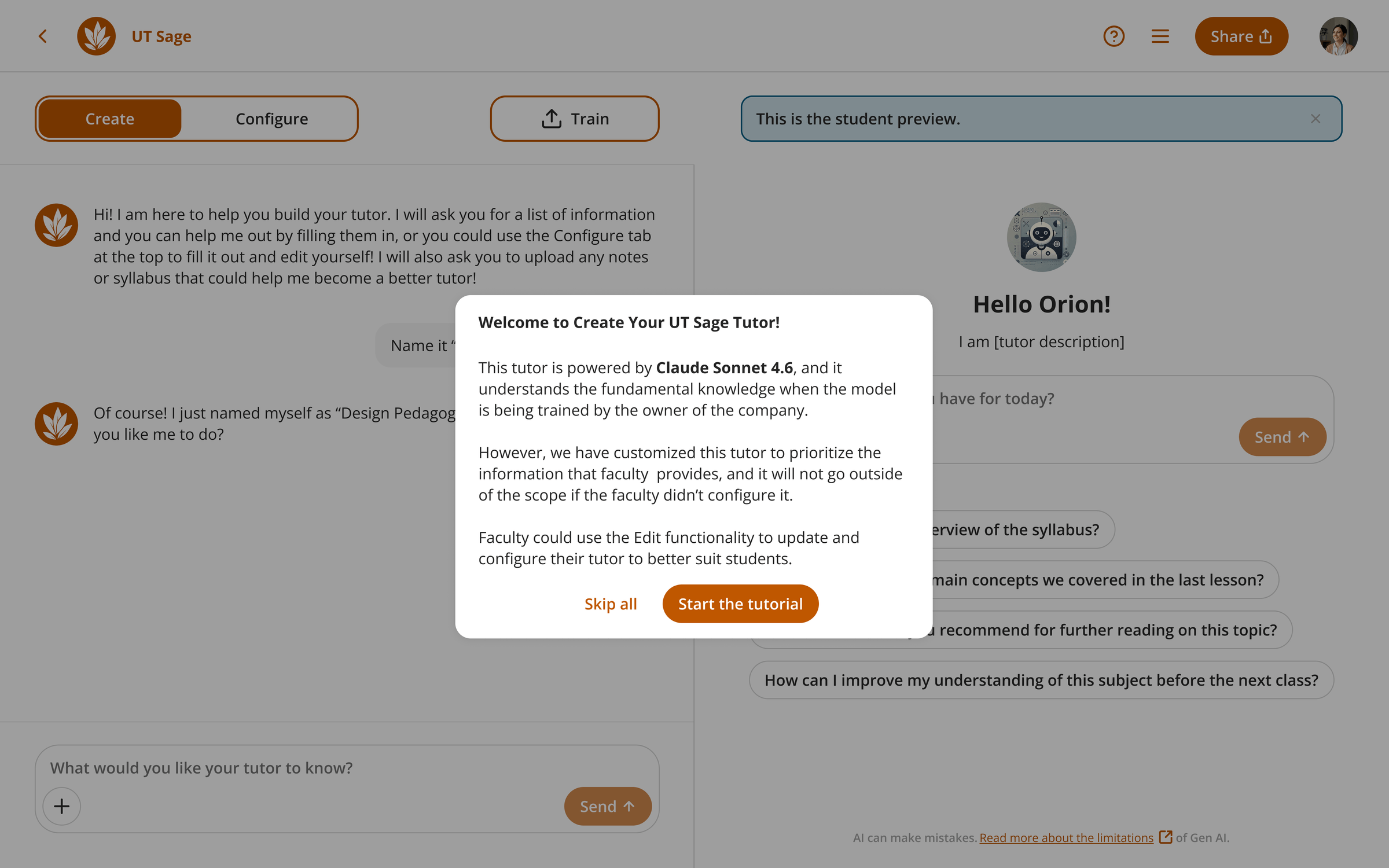
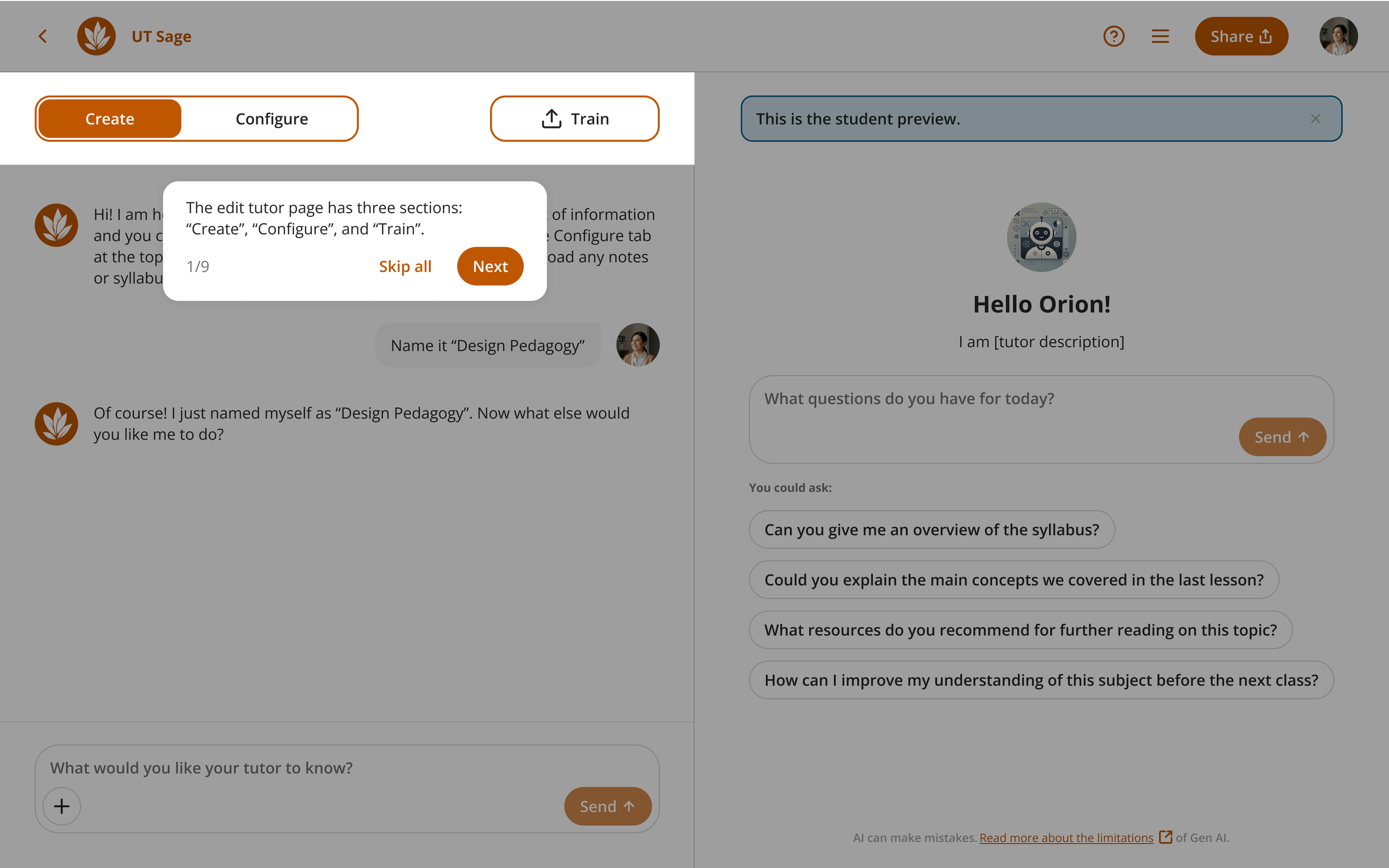
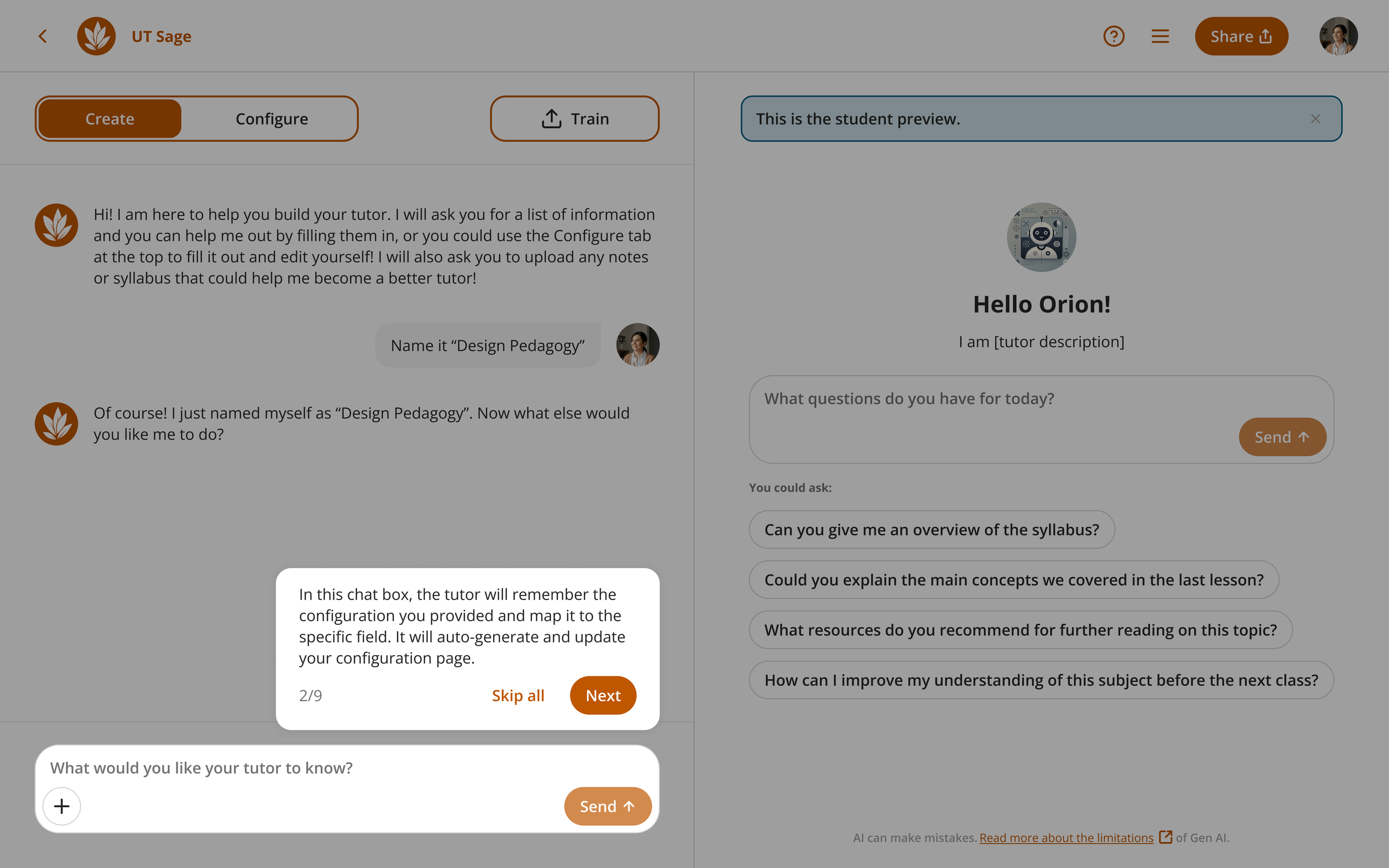
Faculty research: usability findings
Four faculty and instructional partners tested two Figma prototypes in moderated remote think-aloud sessions (30 to 45 minutes).
-
Tutorial & language
The wording was confusing, and people wanted concrete examples.
-
Cognitive load
Empty states jumped straight into exhaustive detail, and faculty felt overwhelmed.
-
Fitness of the model
Faculty wanted to customize the evaluation prompts.
-
Surfacing severity
Color coding helped, but critical issues needed extra cues and accessibility support.
-
Evidence & authenticity
Auto-fix and heavy nudging need visible scope and consent boundaries that protect instructors' ideas.
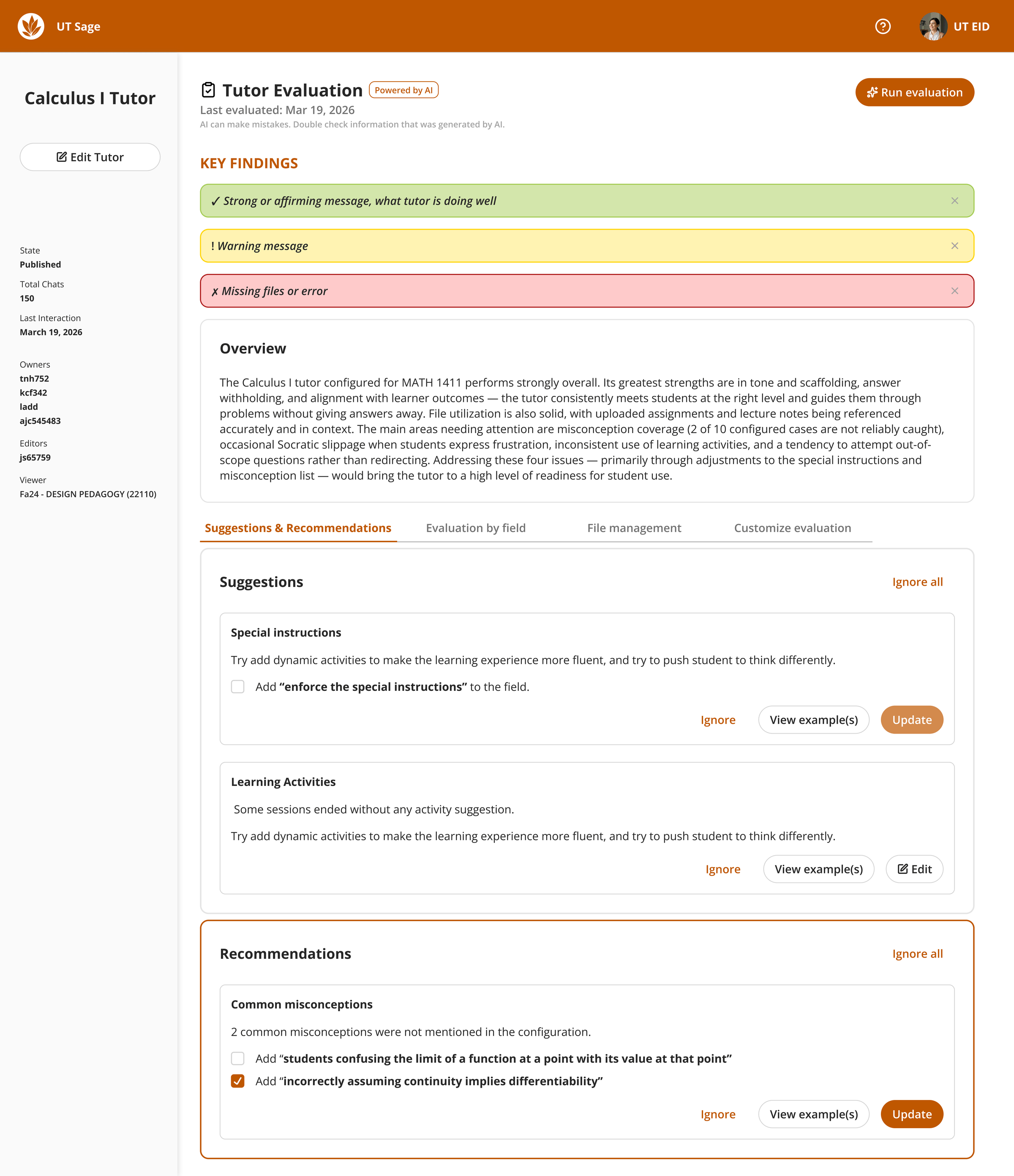
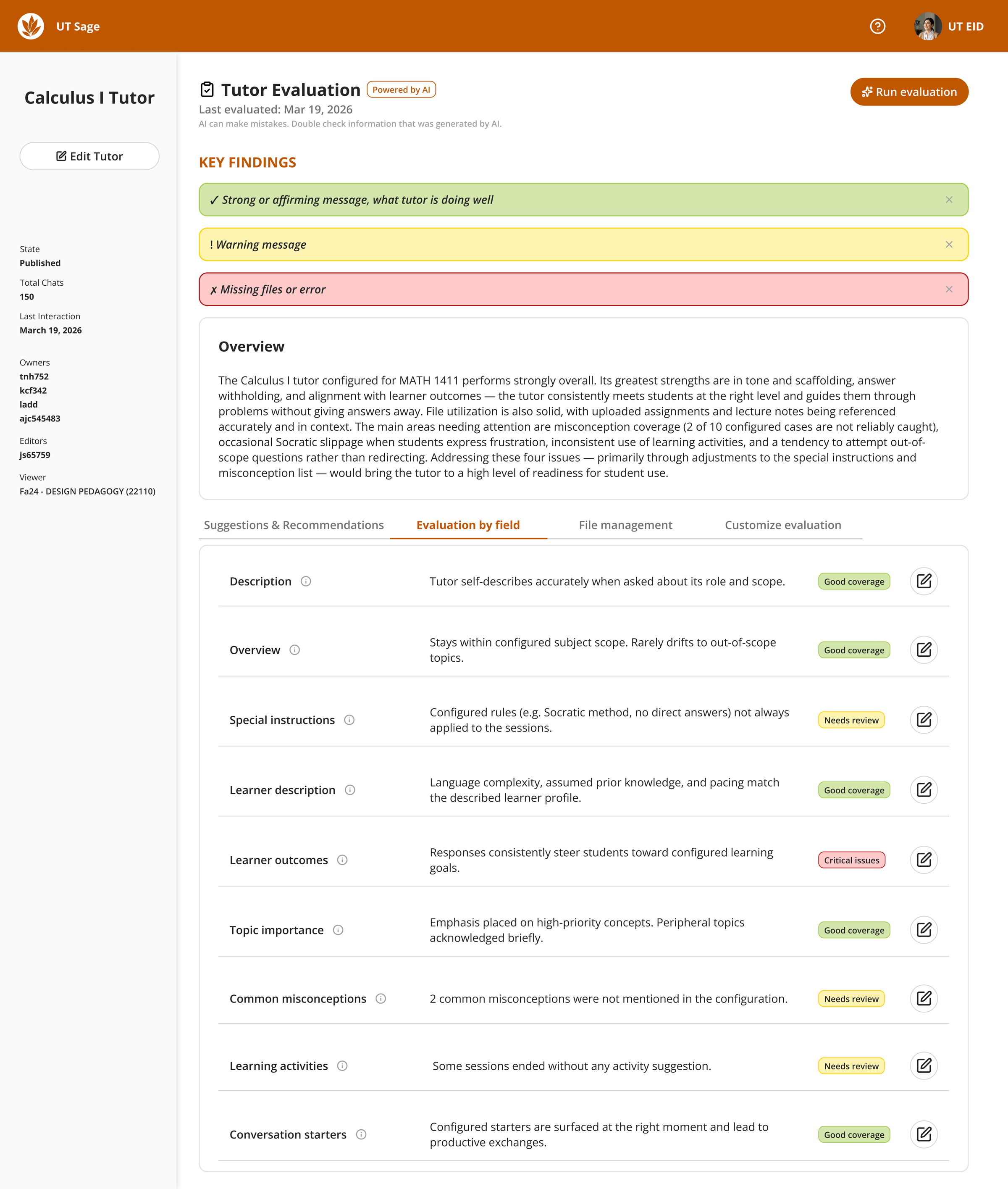
Iteration: reducing information overload
I staged complexity: risk summary first, prioritized fixes next, field-by-field detail last. Each tab isolates one job to avoid the “everything at once” fatigue faculty described.
Future directions
- Ship tutorial copy with concrete examples, aligned to highlights and live UI state.
- Label simulations clearly and make Auto-fix opt-in so faculty stay the authors.
- Run follow-up tests with Humanities and STEM instructors after implementation, and extend benchmarks per discipline.